The product
The real till, screen by screen.
Every screen on this page is SellHub itself, running on sample data. No mock-ups — this is what your staff see on the counter.
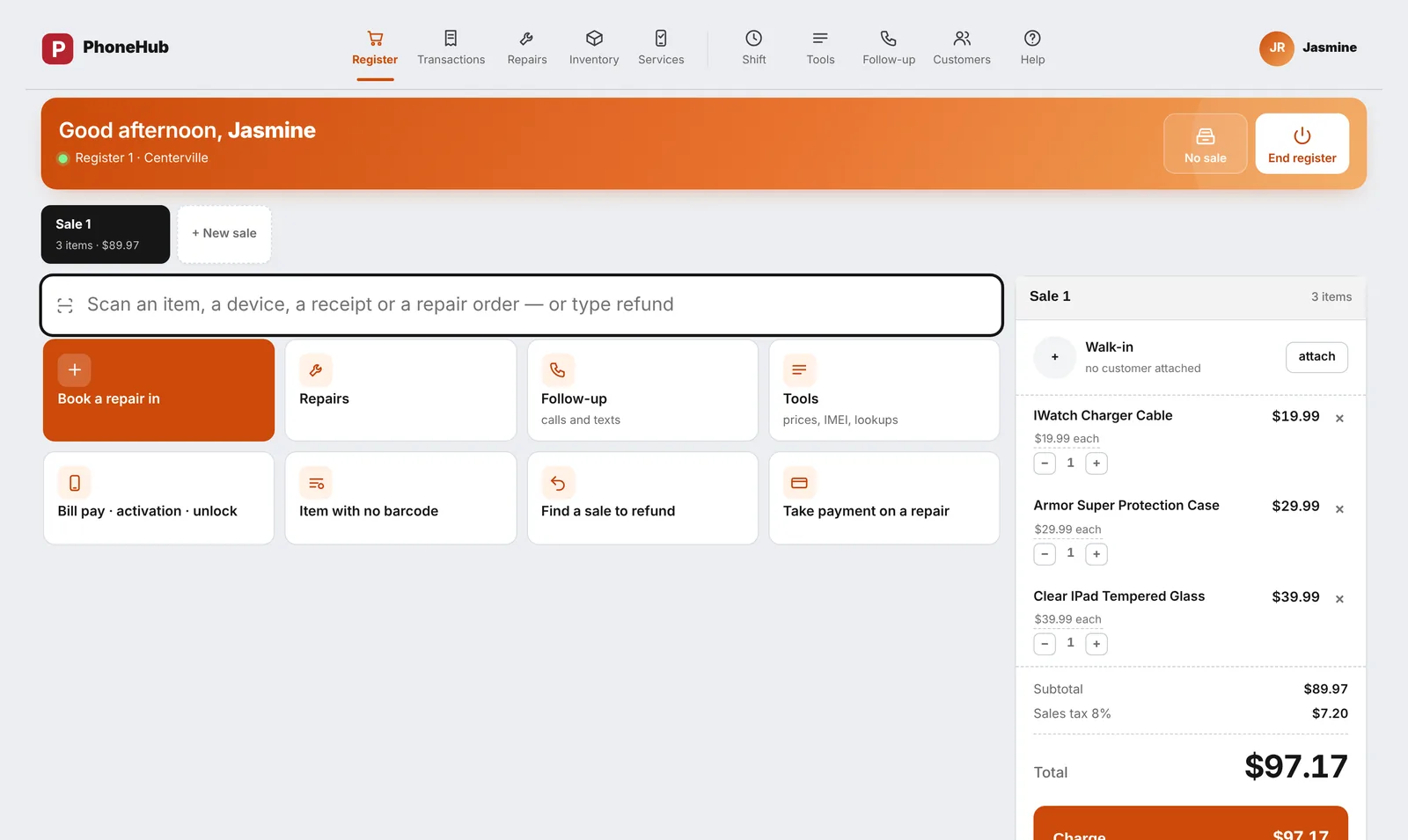
The register
Ring up a sale in seconds.
Scan an item or search for it. Tax is worked out for your county and the card goes to the Square Terminal on the counter, or take cash and the drawer knows.
- Cases, chargers, phones, services and repairs in one cart
- Square Terminal, cash and split payments
- Refunds back to the original payment, with a reason
- Every sale recorded with who rang it up
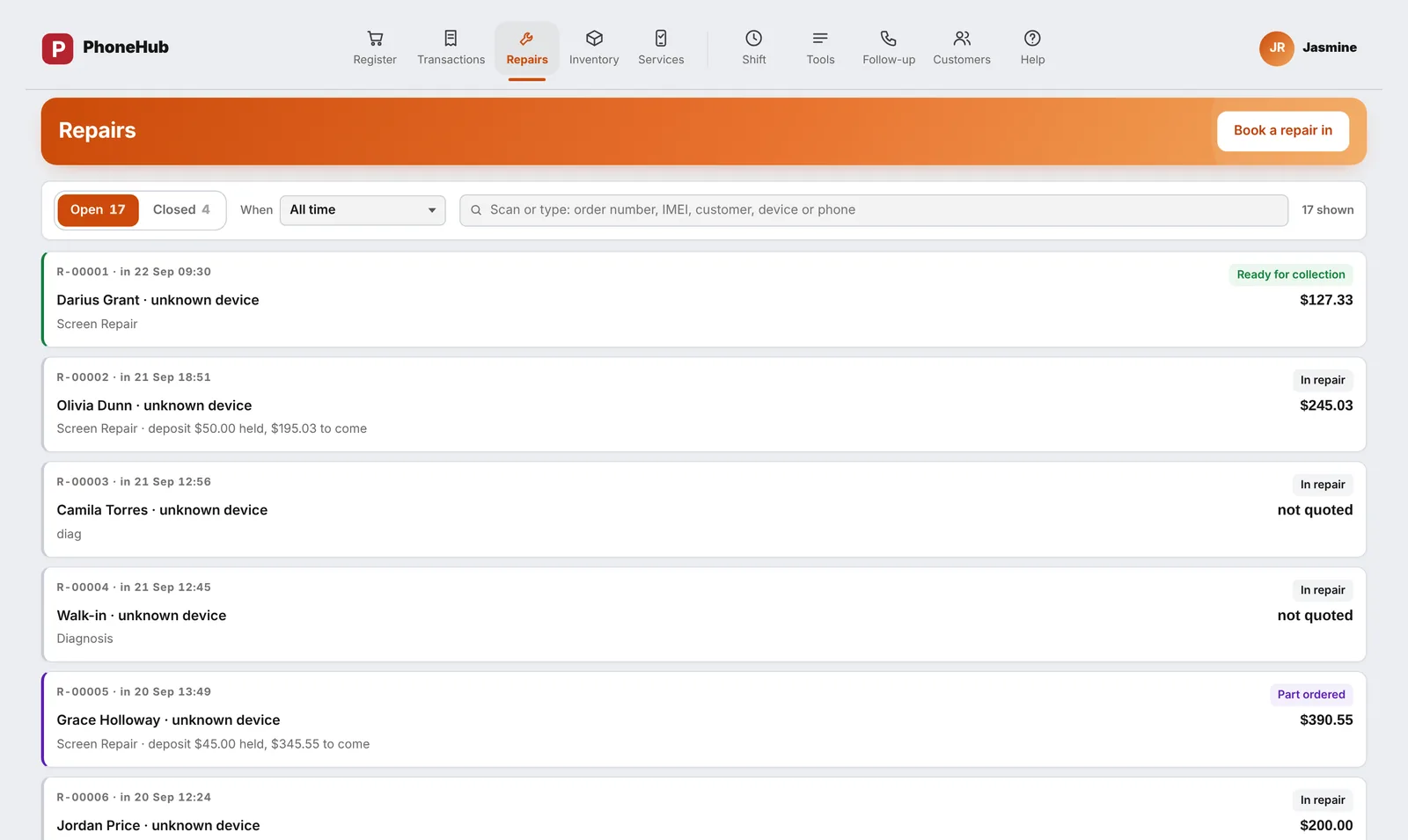
Repairs
Every repair on the bench, and what it is waiting for.
Take a device in with its fault, condition and passcode, price it from your own list and take a deposit. The ticket follows the job until it is collected.
- Deposits kept apart until the job is collected
- Parts pulled from stock against the ticket
- A text to the customer when it is ready
- Warranty printed on collection
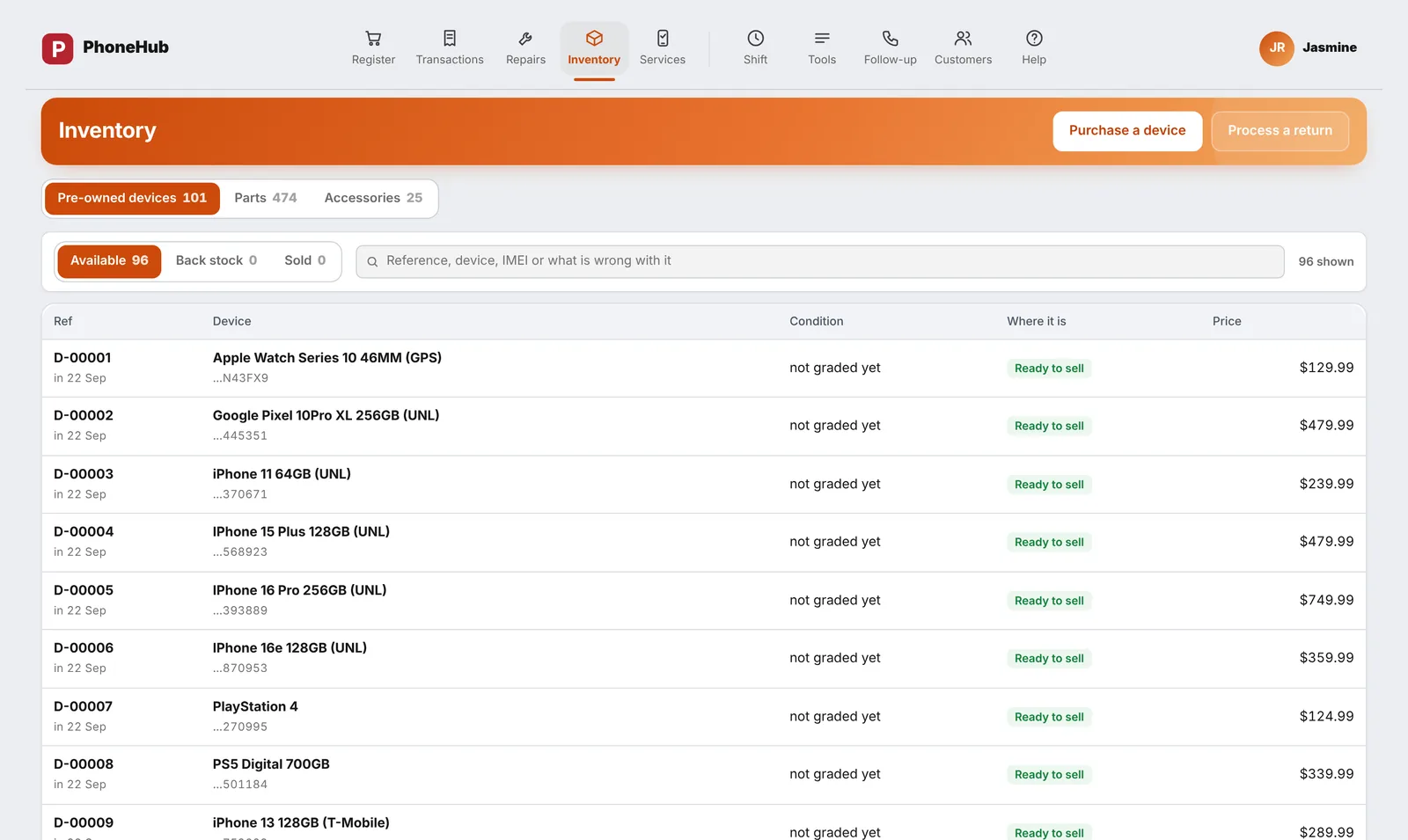
Buying and stock
Buy phones safely. Know what each one really earned.
The seller's ID, photos, signature and an IMEI check are part of the buy, not optional extras. Each phone carries its cost from the counter to the sale.
- IMEI blacklist check before money changes hands
- Every phone tracked by IMEI, every part by count
- Purchase orders, receiving and low-stock lists
- Labels with barcode and battery health
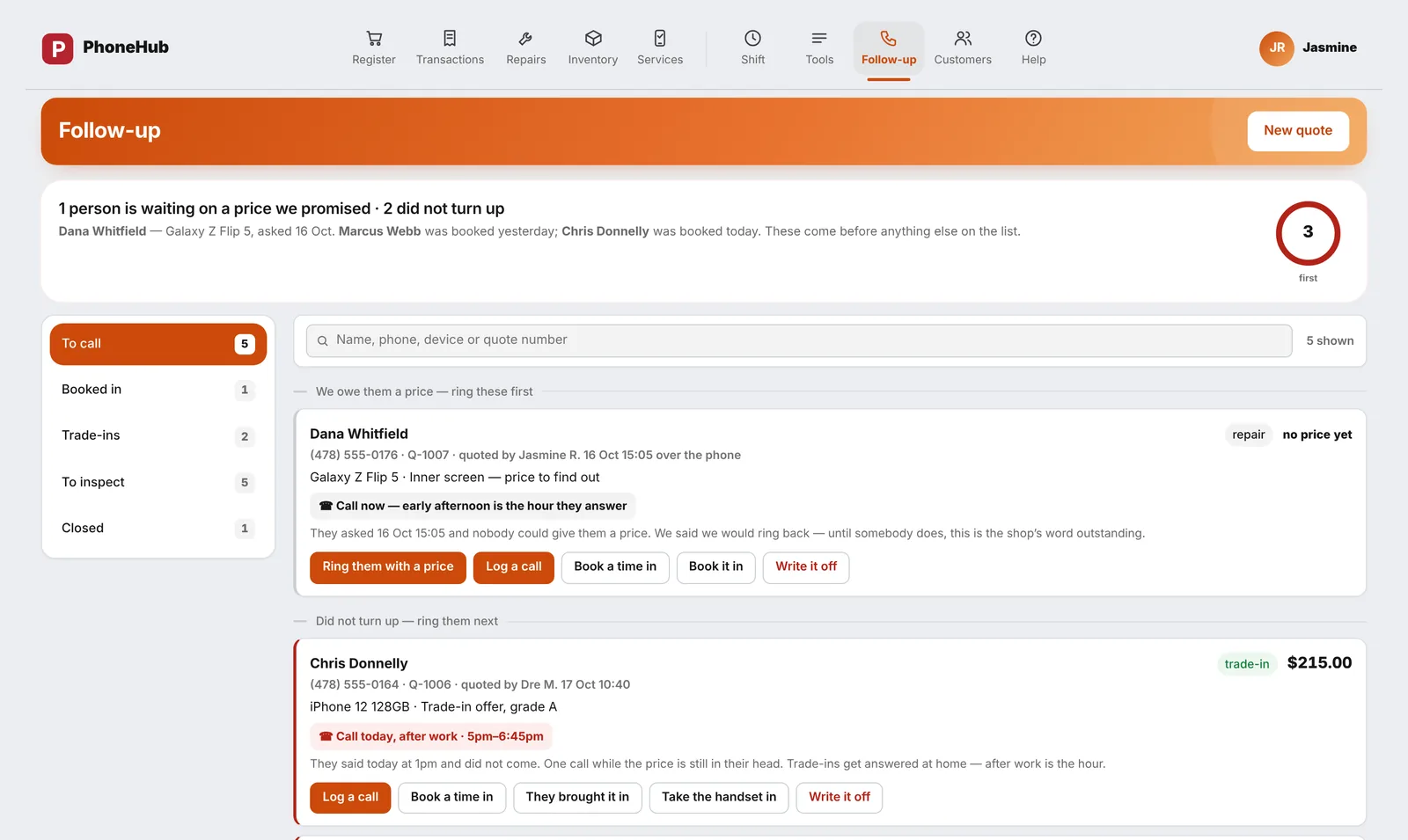
Follow-up
Nothing left sitting on the shelf.
One list of everything that needs a call: repairs ready but not collected, jobs waiting on a part, devices on the bench too long. Your staff work through it, you see it get shorter.
- Ready, waiting and overdue in one place
- Customer replies land on the ticket
- Each customer's history a tap away
A day at the counter
Start to close, the till knows what comes next.
Every step follows the rules your shop sets. Nobody has to remember the process.
Open the drawer
Count the float in. Each person signs in with their own PIN on a computer you set up with a one-time code.
Sell
Scan a case, a charger or a phone. Tax worked out for your county, paid on the Square Terminal or in cash.
Take in a repair
Device, fault, price from your list, a deposit taken and kept separate until the job is collected.
Fix it
Pull the part from stock against the ticket. The customer gets a text when it is ready.
Buy a phone
ID, photos, signature and an IMEI check before any money leaves the safe. A label prints for the shelf.
Close
Count the drawer blind, see over or short, drop the takings. The day is sealed and the report is waiting.
See it on your counter.
We set up a demo with your own price list and walk your team through a full day.
Request a demo